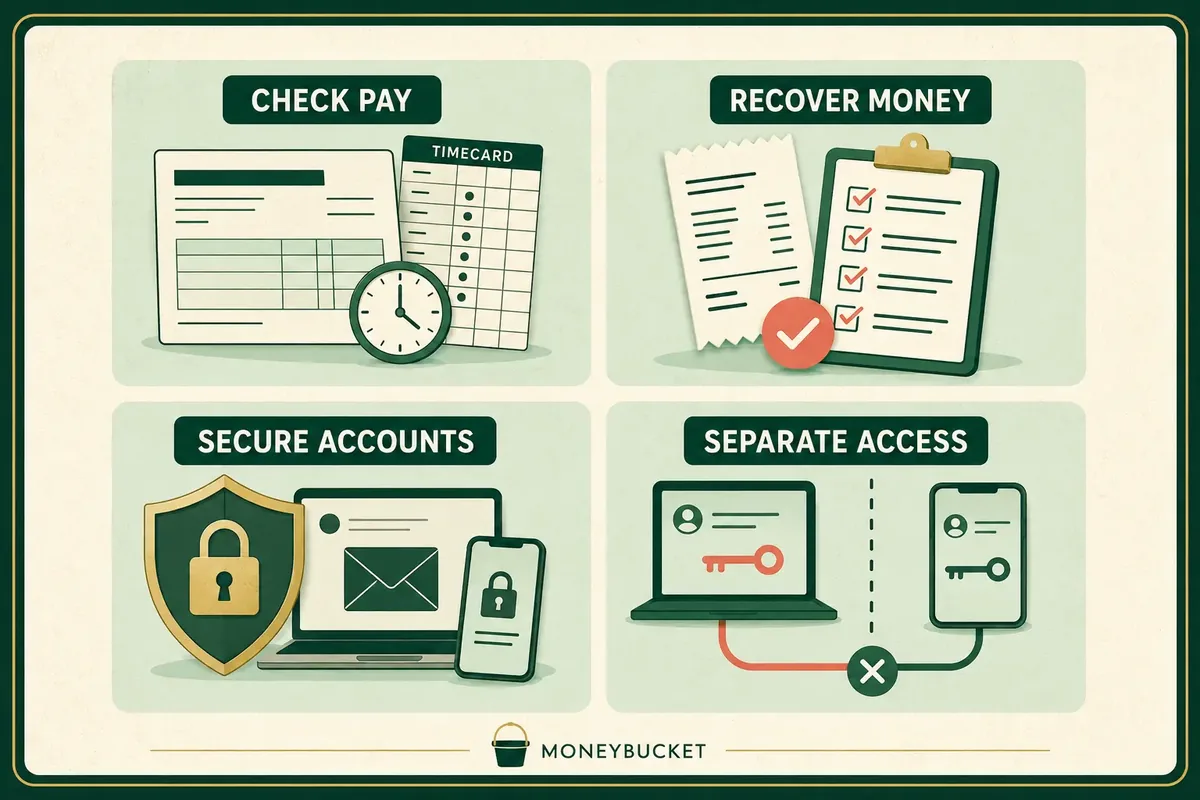
MoneyBucket builds free money tools for the moments when a vague problem needs a clear first move. Check a paycheck, map a charge-recovery route, put hacked-account actions in order, or review shared access after a breakup without handing over a bank password.
Four Free Tools for Four Different Money Problems
Paycheck Proof
Upload a pay stub and enter your hours. Paycheck Proof compares the figures, estimates what may be missing, and prepares a correction message with an evidence list.
- Checks hourly wages and overtime inputs
- Lets you review every figure before calculation
- Works in English and Spanish
Get My Money Back
Choose what happened and receive a contact order, message guidance, evidence list, deadline warning and next escalation step for that type of charge problem.
- Covers seven common charge and refund problems
- Does not contact a seller or bank for you
- Does not take a recovery fee
Hacked Now
Name the alert, unfamiliar login, account change or lost device. Hacked Now returns a short action order so the highest-risk access is handled first.
- Starts with email and recovery access
- Points to official provider recovery routes
- Helps preserve alerts, dates and screenshots
Breakup Lockdown
Review email, devices, location sharing, payment tools, cloud accounts and home access before changing anything that could alert another person.
- Separates personal, joint and uncertain access
- Warns when a change may be visible
- Includes Quick Exit and a safety path
Compare the MoneyBucket Tools
| Tool | Start here when | Access it does not need | What it will not do |
|---|---|---|---|
| Paycheck Proof | Your pay stub, hours or overtime do not appear to match | Bank login, payroll login or employer access | Promise an exact legal amount or act as legal, tax, payroll or financial advice |
| Get My Money Back | A charge, refund, order or service problem needs a recovery route | Bank password, full card number, CVV, PIN or full Social Security number | Send a dispute, guarantee a refund or take a share of recovered money |
| Hacked Now | A login, password reset, lost device or account alert looks suspicious | Password, verification code or account credentials | Sign in, remove malware, recover money or guarantee account recovery |
| Breakup Lockdown | A former partner may still share account, device, location, payment or home access | Passwords or automatic control of an account | Remove access, contact a former partner or replace legal, safety or emergency help |
Choose the Right Starting Point in 30 Seconds
- Name the immediate loss or risk. Is money missing from pay, tied up in a charge, exposed through an account, or connected to shared access?
- Use one tool first. A suspicious card charge may need Hacked Now for account security and Get My Money Back for the payment route. Start with the access risk, then handle the charge.
- Give the tool only what it needs. Do not paste passwords, verification codes, full card numbers, CVVs or bank passwords into any checklist.
- Save proof before it disappears. Keep pay stubs, schedules, receipts, account alerts, dates and screenshots that support the next step.
- Make the change yourself. Each tool organizes a plan. You stay in control of messages, disputes and account changes.
What These Tools Ask For and What They Never Need
The four tools handle different problems, so their data needs are not identical. The safe rule is simple: share the least information needed for the checklist, keep credentials out, and delete saved cases when you no longer need them.
- Open each app through its MoneyBucket page or the links on this hub.
- Never enter a bank password, account password, verification code, full card number or CVV.
- Guest-mode storage can remain on the device or browser you use. Someone with access to that device may still see it.
- An optional account can change where saved information is stored. Read the account note before choosing sync.
- Use the delete control when a case or checklist is no longer needed.
- Read the MoneyBucket privacy policy for the site-level policy.
Product check: Tool availability and the data statements above were checked on August 28, 2026. Each tool is free at the time of review. Product wording and account features can change.
Free Money Tool Questions
Are all four MoneyBucket tools free?
Yes. Paycheck Proof, Get My Money Back, Hacked Now and Breakup Lockdown are free to use at the time of review. Get My Money Back does not take a share of recovered money, and the other tools do not require a paid upgrade for the core checklist.
Do the tools require a bank login?
No. None of the four tools requires a bank login. Get My Money Back also says never to enter a full card number, CVV, PIN or bank password. Paycheck Proof does not require a payroll login.
Will a MoneyBucket tool contact my employer, bank or former partner?
No. The tools organize figures, messages, evidence or action steps. They do not send a payroll request, file a payment dispute, change an account or contact another person for you.
Which tool should I use after an account hack and an unauthorized charge?
Start with Hacked Now when account access may still be exposed. Then use Get My Money Back to organize the payment route for an unauthorized charge. Contact the bank or card issuer through a verified number or its official app when money may be at risk.
Where is my information stored?
Storage depends on the tool and the options you choose. Paycheck Proof and Get My Money Back support browser-based use, with optional accounts for chosen saved access. Breakup Lockdown says its checklist stays on the device in use. Hacked Now does not ask for passwords or verification codes.
Do these tools replace legal, tax, payroll, financial or emergency help?
No. The tools provide educational checklists, estimates and planning help. Use qualified professional or emergency help when the facts, safety risk or amount at stake require it.
Need a guide instead of an app? Browse the MoneyBucket guide library by pay, budgeting, saving, debt, investing, retirement, taxes and risk.