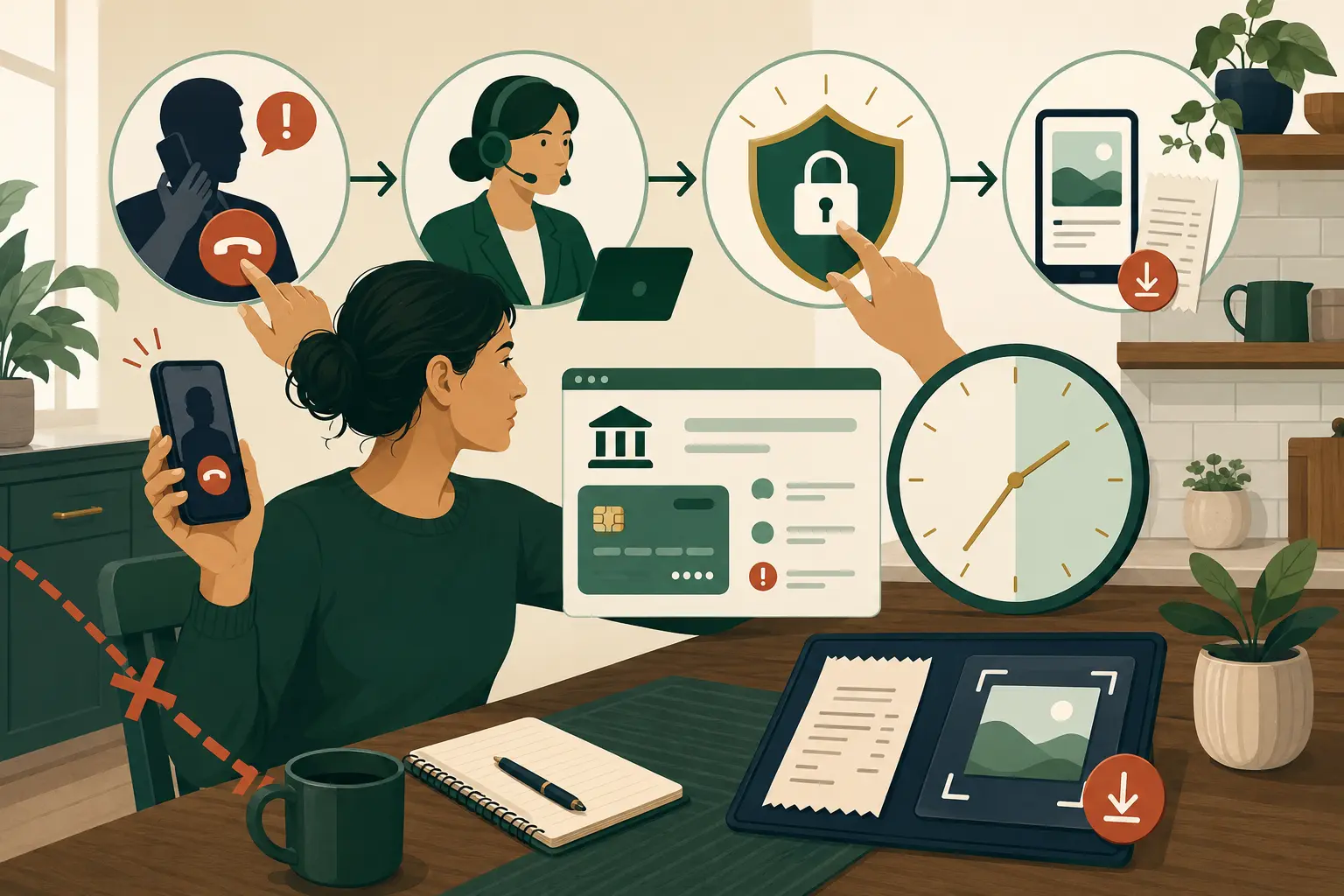
If you think a bank scam just happened, end contact with the caller or sender and call your bank through the number on your card, statement, or official app. This emergency response is part of MoneyBucket’s risk management guidance. Tell the bank whether you made the payment after being deceived or never approved it. Ask the bank to secure access, try to stop or recall the payment, open a fraud case, and give you a case number. Then contact the payment provider, protect your email and bank login, and save the evidence.
Acting fast can improve the chance that a pending payment is stopped, yet no step can guarantee the money will come back. The best first move is to reach the financial company that can place controls on the account or payment. Reports to agencies matter, but they come after the urgent bank and payment-provider calls unless someone is in immediate danger.
Minute 0 to 1: break contact
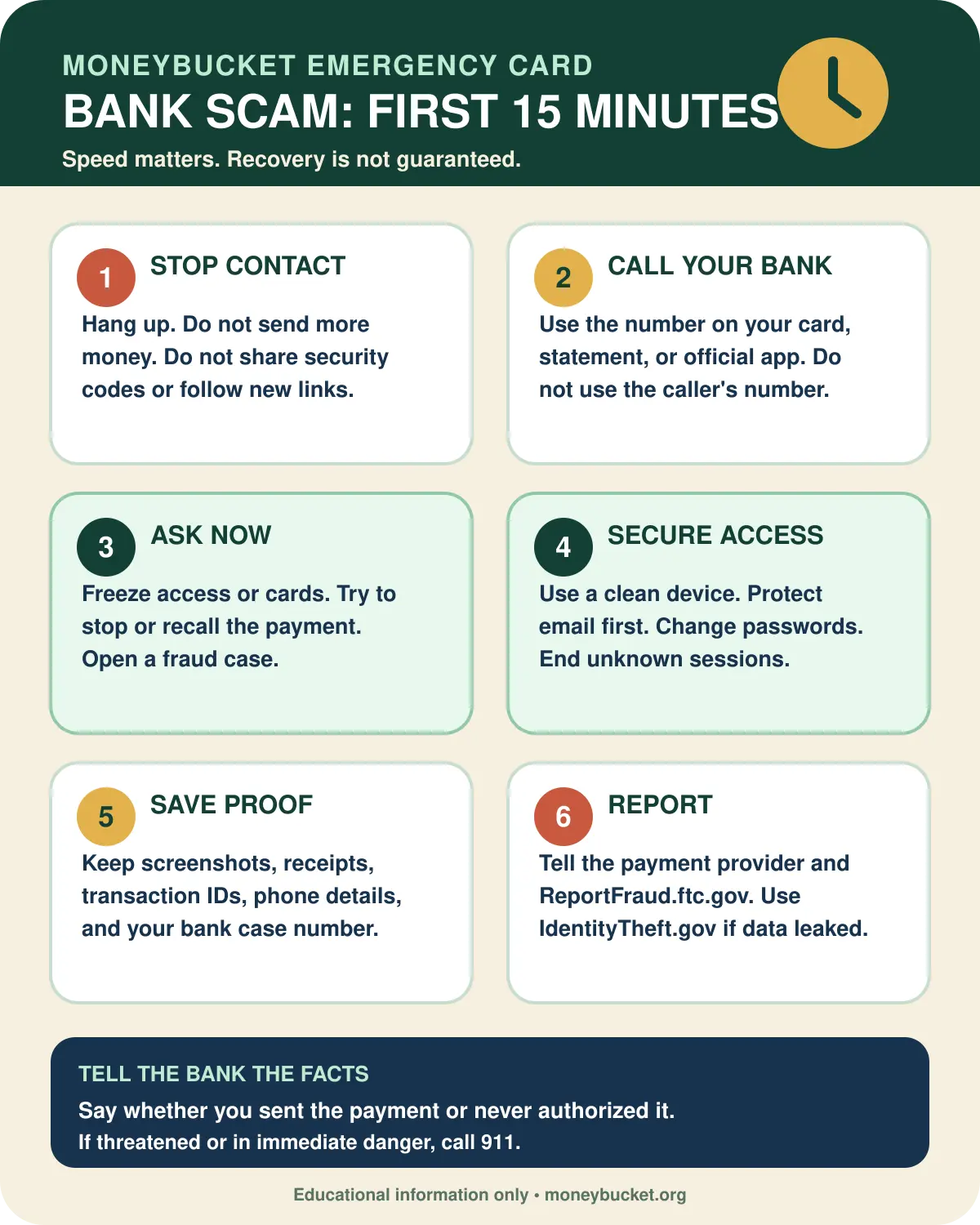
- Hang up or stop replying. Do not argue, announce that you know it is a scam, or wait while the caller claims to connect you to a supervisor.
- Do not send more money. A request for a fee, tax, verification payment, safe account transfer, or refund deposit is another warning.
- Do not share another code. A one-time passcode can let a thief approve a login, reset, or payment.
- Leave evidence in place. Do not delete the text, email, voice message, receipt, or app conversation. Take screenshots when it is safe.
If the scammer is threatening you or anyone is in immediate danger, call 911. If a cash package is already in the mail, contact the delivery service at once. The FTC says the U.S. Postal Inspection Service may be able to intercept a mailed cash package.
Minute 1 to 5: call the bank through a trusted channel
Use the phone number printed on the back of your card, shown on a statement, or listed inside the official bank app. Type the bank’s known web address yourself if you need to find another contact route. Do not use a link, search ad, callback number, or caller-provided number.
Read this script
“I may be the victim of a scam. At [time], [amount] left my account or was attempted through [payment method]. I [made the payment after being deceived / did not make or approve this transaction]. Please place the right fraud controls, try to stop or recall the transaction, secure the account, and give me a case number and written next steps.”
Describe what happened without guessing the legal label. Say whether you entered and sent the payment, shared a code, or discovered a transfer someone else initiated. Explain any deception, threats, or force. Ask the bank to explain which dispute process and protections apply to those facts.
Tell the bank who initiated the transfer. The CFPB says an electronic transfer initiated by a fraudster with account access information obtained through fraud is unauthorized under Regulation E. A transfer the consumer personally entered and sent after being deceived presents a different fact pattern. Give the bank the exact sequence, including who pressed send, who entered any security code, and who received the money.
Ask the bank to check every open route
- Is the payment pending, scheduled, or complete?
- Can the bank stop, recall, reverse, or dispute it?
- Should the card, account number, PIN, online access, digital wallet token, or transfer access be frozen or replaced?
- Are there new payees, linked accounts, phone numbers, email addresses, devices, or mailing addresses on the profile?
- Can the bank add a verbal password or extra account note?
- What is the fraud case number, and when must any written form be returned?
Minute 5 to 10: secure access from a clean device
If the scammer had remote access to your phone or computer, disconnect that device from Wi-Fi, mobile data, and any wired network. Do not use it to reset passwords or contact the bank. Use another device you trust, or call the bank by phone. For a broader account-security checklist, use MoneyBucket’s Hacked Now tool.
- Protect the email account tied to your bank. Change its password, end unknown sessions, review forwarding rules and recovery options, and turn on multi-factor authentication.
- Follow the bank’s access reset steps. Change the bank password, PIN, and security questions as directed. Do not reuse an old password.
- Remove access you do not recognize. Review trusted devices, digital wallets, linked accounts, payees, contact details, and transfer permissions.
- Turn on alerts. Use alerts for logins, profile changes, transfers, card activity, and low balances.
- Secure the phone number if needed. If your phone suddenly lost service or the scammer may control the number, contact the mobile carrier and ask about a SIM-swap or port-out lock.
Run a trusted security scan before using a device that had remote-access software. The FTC also advises updating security software and removing anything the scan identifies as a threat.
Minute 10 to 15: save proof and contact the payment provider
Write down the facts while they are fresh. Keep copies outside the account that may be compromised.
- Date, time, amount, and payment method
- Transaction, confirmation, wallet, or tracking number
- Recipient name, account, phone, email, user handle, or wallet address
- Caller number, callback number, email address, web address, and social profile
- Screenshots, messages, voice messages, receipts, and shipping details
- Bank representative’s name or ID, case number, instructions, and deadlines
- A short timeline of what the scammer said and what you did
Contact the company used to send the money and ask it to flag the recipient and stop or reverse the payment if possible. If a payment app drew from a linked debit card, credit card, or bank account, report the scam to both the app and the linked financial company.
Open MoneyBucket’s recovery-action tool
The tool can help organize next steps. It does not replace a call to the bank, the payment provider’s own report process, or an agency report.
What to ask for by payment method
| How money moved | Contact now | What to request | What to keep |
|---|---|---|---|
| Credit or debit card | Card issuer’s fraud team | Block or replace the card, flag the charge, and ask for the available reversal or dispute route | Receipt, merchant name, statement entry, and case number |
| Bank wire | Your bank’s fraud or wire team | Immediate recall, recipient-bank notice, and any account security controls | Wire confirmation, beneficiary details, and recall reference |
| Wire transfer company | The company used, such as Western Union or MoneyGram | Report the scam immediately, explain that you were tricked into sending money, and ask for a refund | Transfer receipt, reference number, recipient details, and report confirmation |
| Zelle | Your bank or credit union | Report the scam immediately and ask whether the payment can be reversed and refunded | Payment confirmation, recipient phone or email, messages, and case number |
| ACH or account transfer | Your bank or credit union | Stop a pending item, report an unauthorized item if that is what occurred, and ask about reversal or recall | Transaction ID, authorization facts, and written follow-up deadline |
| Payment app | The app and the linked bank or card issuer | Fraud report, recipient flag, payment reversal if available, and linked-account review | App receipt, user handle, chat, and linked funding source |
| Gift card | The gift card issuer | Freeze remaining value and request a refund | The card, receipt, card number, and redemption details |
| Cryptocurrency | The exchange, kiosk, wallet service, or platform used | Flag the transaction and destination; ask whether any freeze or reversal is possible | Wallet address, transaction hash, exchange receipt, and messages |
| Check | Your bank | Stop payment if still possible and protect the exposed account and routing details | Check image, number, payee, delivery details, and bank case |
| Cash or cash shipment | Courier or postal inspector; police if safety is at risk | Package intercept or delivery hold | Tracking number, receipt, destination, and camera footage if available |
Cryptocurrency and many fast payments can be hard to reverse. Contacting the provider is still worth doing. The FTC says the company used to send the money may have a recovery route, depending on how the payment moved.
Choose the branch that fits what the scammer got
The scammer got money, but no login or identity data
Focus first on the bank and payment provider. Save the case details, monitor the funding account, and report the scam at ReportFraud.ftc.gov.
The scammer got a password, passcode, card number, or bank login
Tell the bank exactly what was shared. Replace exposed credentials and cards, end unknown sessions, review contact details and transfer settings, and watch all linked accounts. If the same password was used elsewhere, change those accounts too.
The scammer got remote access to a phone or computer
Disconnect the device and use a clean device for bank and email recovery. Take a photo of the installed remote-access app before removal if doing so is safe. Run a trusted security scan, remove threats, and consider professional device help if the scammer had administrator access.
The scammer got a Social Security number or enough data to impersonate you
If someone used your identity information, go to IdentityTheft.gov to report the theft and get a recovery plan. If information was exposed but you are unsure whether it was used, follow the FTC steps for exposed personal information. Freeze your credit with Equifax, Experian, and TransUnion. A freeze is free, does not lower a credit score, and stays until you lift it. Check all three reports at AnnualCreditReport.com.
MoneyBucket’s identity theft protection guide explains the wider account and credit cleanup.
Save the bank scam emergency card
Do not let a recovery scam create a second loss
After a scam report, a new caller may claim to be an investigator, attorney, government worker, hacker, or fund-recovery expert. Treat an unexpected offer as a new scam signal if the person asks for an upfront fee, a security code, remote access, a secret payment, or money moved to a safe account.
- Do not pay to release or recover stolen money.
- Do not trust a caller because they know the amount, payment method, or original scam story.
- Verify any claimed bank or agency contact through a phone number you already know is real.
- Tell a trusted person what happened before making another payment.
The next 24 hours
- Complete every bank form on time. Ask whether the bank needs written confirmation. Keep proof that it was sent.
- Review all accounts. Look for new payees, small test charges, profile changes, unfamiliar devices, and linked accounts.
- Report the scam. Use ReportFraud.ftc.gov. Use IdentityTheft.gov when identity data was used or exposed.
- Escalate a financial-company problem. If you first tried the company and still have an issue, the CFPB accepts complaints about bank accounts, cards, money transfers, virtual currency, and related services.
- Keep a recovery log. Record each call, name, date, case number, document, decision, and deadline.
- Watch for repeat contact. Scammers may pose as the bank or a recovery service after the first theft.
Visit the MoneyBucket risk management hub for more ways to protect accounts and personal data.
Questions people ask after a bank scam
Should I call the police or the bank first?
Call the bank or payment provider first when money or account access is at risk. They may be able to freeze access or act on a pending payment. Call 911 first if anyone is in immediate danger. A police report may help later, depending on the facts and the recovery steps an agency or business asks for.
Can my bank reverse a scam payment?
It depends on the payment method, status, facts, and applicable protections. Ask immediately for every available stop, recall, reversal, or dispute route. Do not assume a completed payment can be recovered.
What if I approved the payment because the scammer lied?
Tell the bank exactly who initiated the transfer. If you entered and sent it, say that you made the payment after being deceived. If the scammer used access information or a code to initiate it, say that instead. Accurate facts help the bank route the case and explain which options apply.
What if I never made the transaction?
Tell the bank it was not made or approved by you. Report it at once. For some unauthorized electronic transfers, federal error-resolution and liability rules depend on how quickly the loss or statement entry is reported.
Should I change my bank password before calling?
Call the bank first if money is moving. If the bank and email login are exposed, use a clean device and follow the bank’s reset steps. Protect the email account tied to the bank because it may control password resets.
What if the scammer installed an app on my device?
Disconnect the device from networks and use another device or a phone call to reach the bank. Update trusted security software, scan the affected device, and remove anything identified as a threat. Get expert help if the scammer had deep device access.
Do I need a credit freeze?
A credit freeze is prudent when identity data such as a Social Security number was exposed or you fear new accounts may be opened. Contact all three national credit bureaus. A freeze does not stop theft from an existing bank account, so keep monitoring current accounts.
Where do I report a bank scam?
Report the scam to the bank, payment provider, and FTC at ReportFraud.ftc.gov. Use IdentityTheft.gov when personal data was stolen or misused. If a financial company does not resolve an issue after you contact it, you can submit a CFPB complaint.
Official sources
- Federal Trade Commission: What To Do if You Were Scammed
- Consumer Financial Protection Bureau: Unauthorized transactions and missing bank funds
- Federal Deposit Insurance Corporation: Bank Impersonation Scams and Fake Banks
- IdentityTheft.gov: Report identity theft and get a recovery plan
- Federal Trade Commission: Get a credit freeze to stop identity thieves
- Consumer Financial Protection Bureau: Submit a complaint
- Consumer Financial Protection Bureau: Electronic Fund Transfer FAQs
- Federal Trade Commission: Refund and Recovery Scams